EARLY ACCESSOpening to agencies a few at a time
WhatsApp · Email · Project chat · Client portal

Every client message.Answered on time.

3 Loop brings your clients’ email and project chats into one inbox for your agency, with WhatsApp on your own number coming soon. A ring round each person shows who is still waiting for a reply, and projects, tasks and approvals sit right beside them, at your own address.
One inbox for every clientYour own address for clientsPhone apps for team and clients
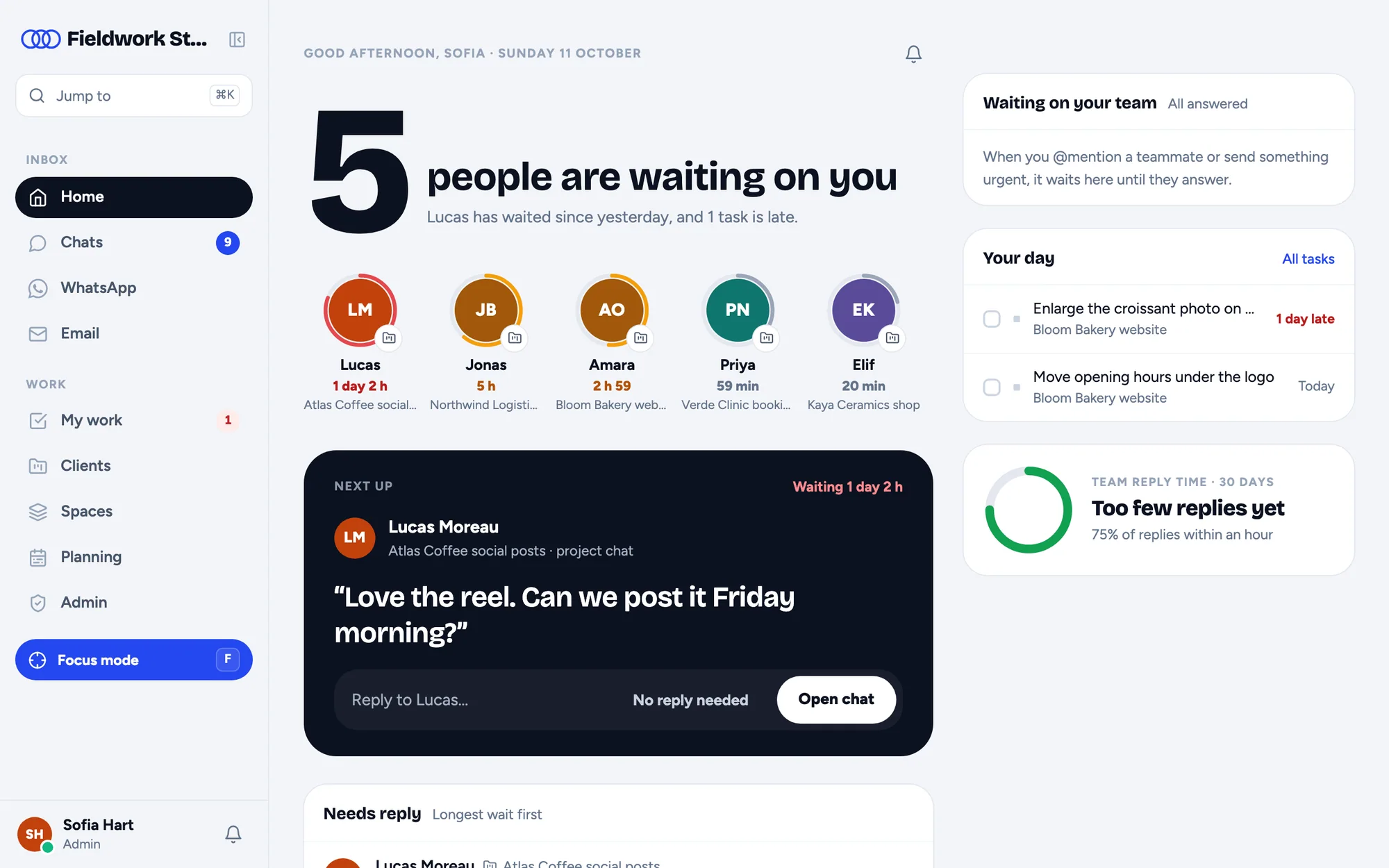
3 Loop's Home: five people are waiting on you, each with a ring showing how long, and Lucas next up
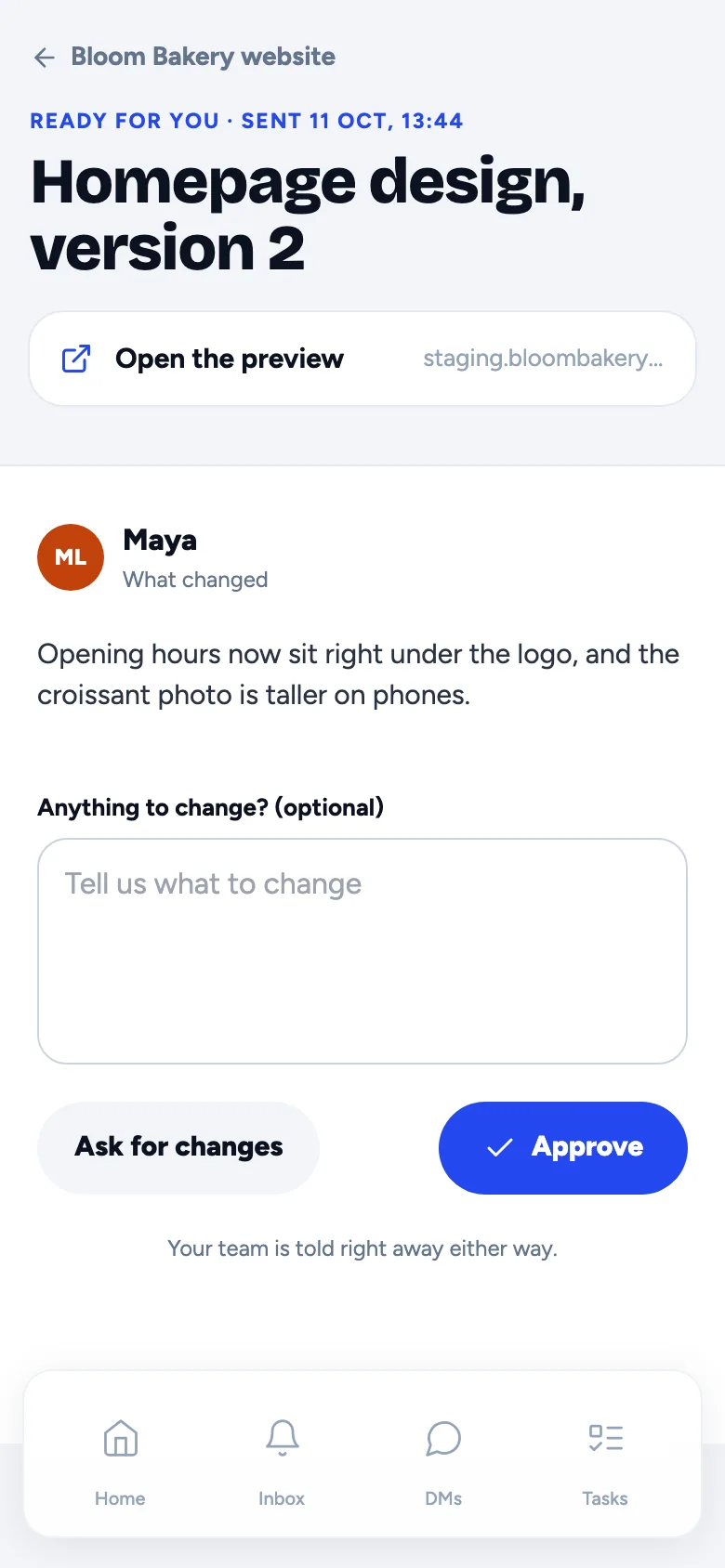
A client approving Homepage design, version 2 on her phone
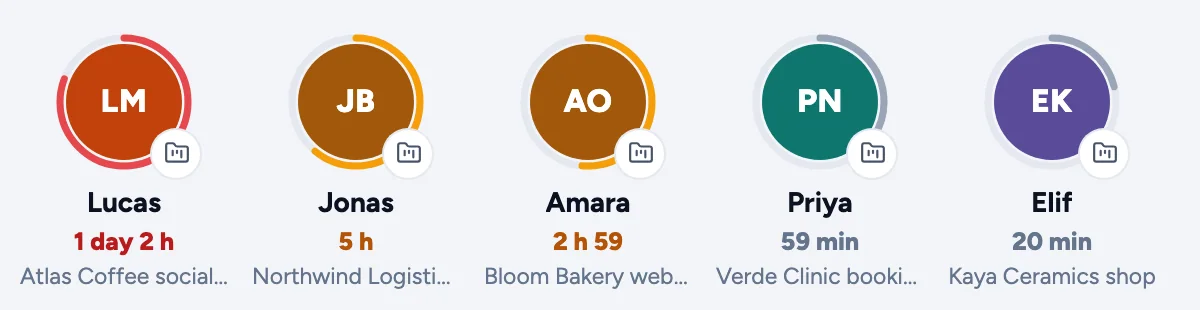
Five clients waiting, from Lucas at 1 day 2 hours to Elif at 20 minutesFocus mode: Lucas Moreau, waiting 1 day 2 hours, with Reply, No reply needed and Later
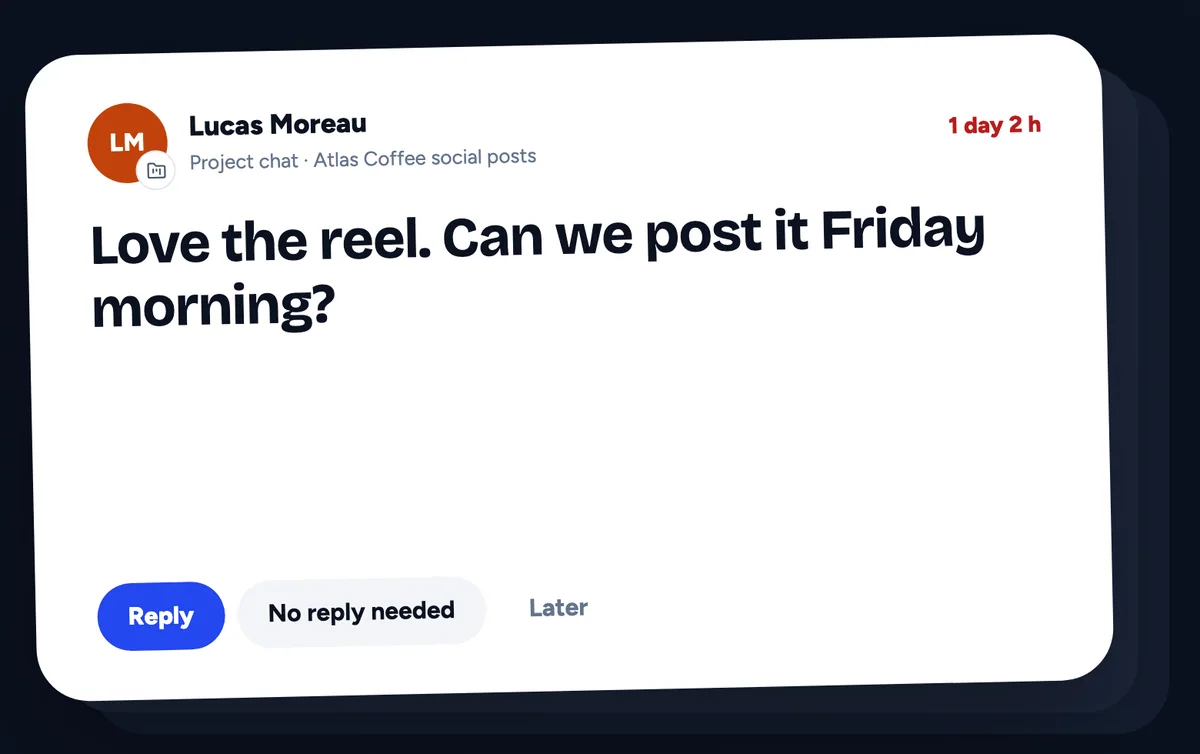
Lucas · waiting 1 day 2 h
Amara · waiting 2 h 59
Homepage design, v2 · sent for review
Email mailboxesSlack channelsDiscord remindersClaude connectorWhatsApp coming soon
One inbox

Every client conversation, in one place.

WhatsApp, email and project chats side by side. A ring round each person shows how long they have been waiting: amber after an hour, red after a day.
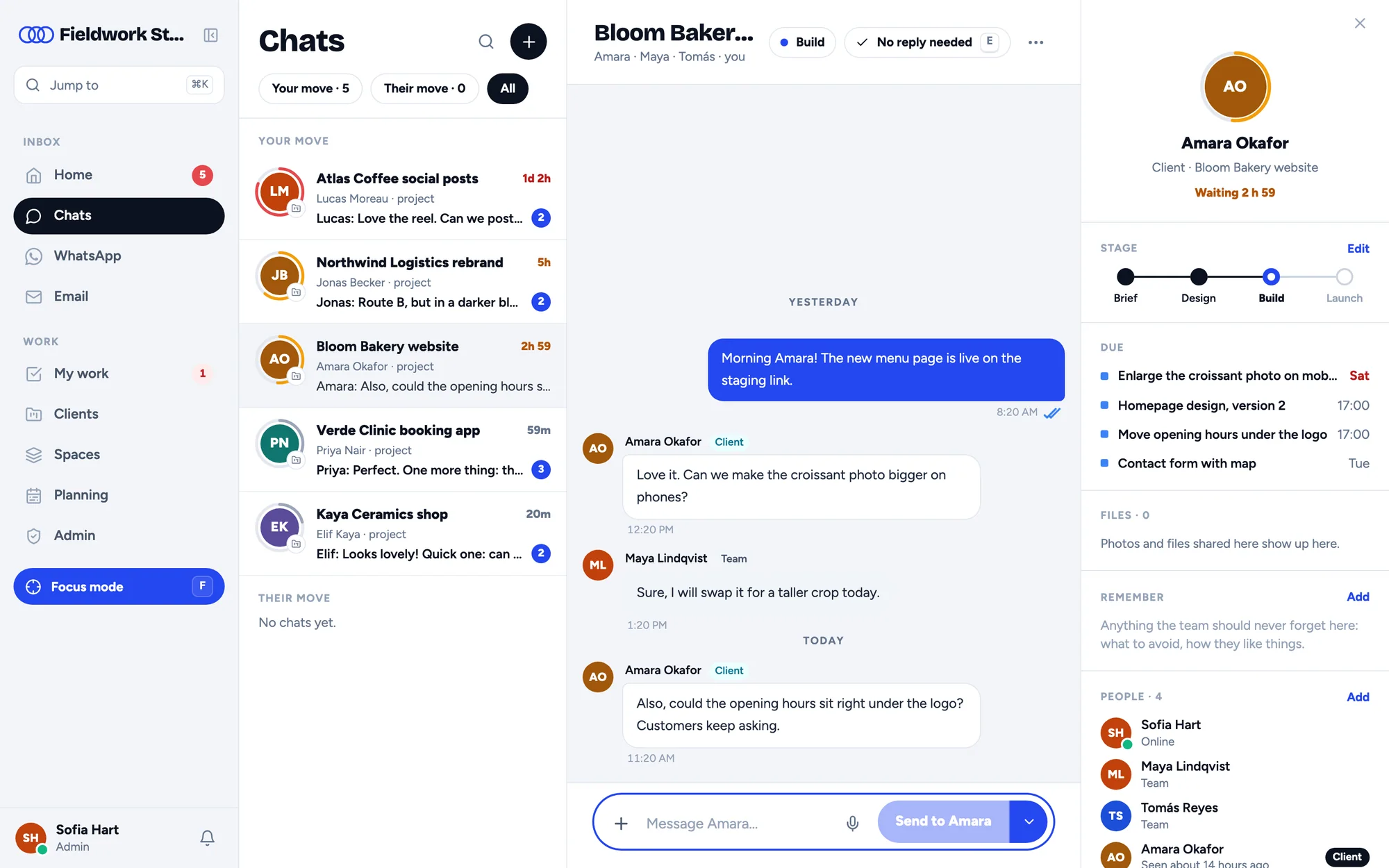
Chats: every client conversation with its waiting ring, and the Bloom Bakery website project chat open
Amber after an hourRed after a dayYour move · Their move · AllWhatsApp on your own number: coming soon
How it works

Set up in an afternoon. Answer from day one.

Three steps, and your agency has one inbox for its clients, its own projects and a client portal with its name on it.

01

Pick your address

Your agency gets its own place at youragency.3loop.net, with your name on it.

youragency.3loop.net
02

Bring the conversations in

Connect your email mailboxes and Slack, and invite your team. Each project gets its own chat.

EmailSlackProject chat
03

Invite your clients

Clients sign in at your address and see only their own projects, steps and approvals.

Bloom Bakery websiteBuild
Waiting for their review1
Other clients’ projectsNever shown
Everything in 3 Loop

One inbox, and everything around it.

Every picture on this page is the app itself, in a demo workspace for a made-up agency, Fieldwork Studio.

01 · Focus mode

One person at a time. Longest wait first.

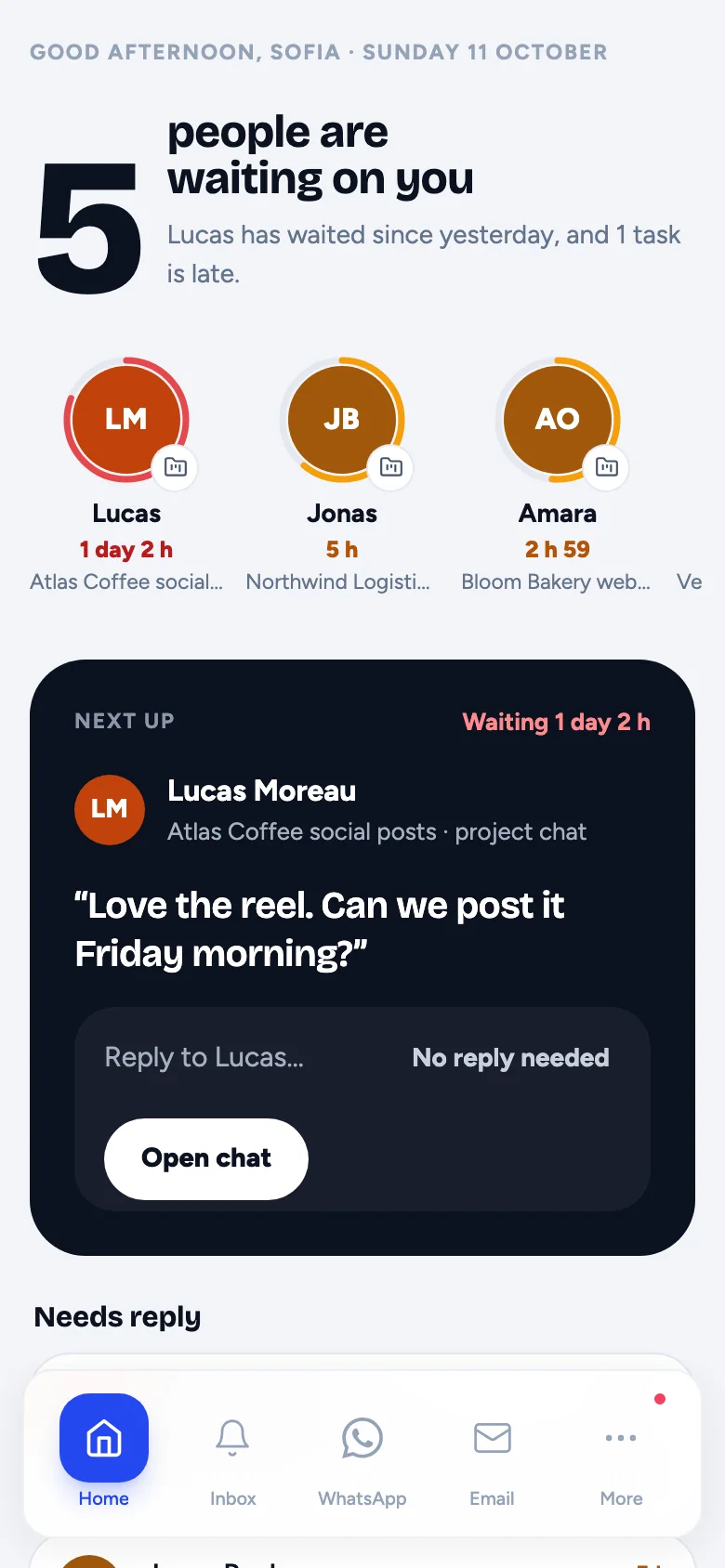
Everyone waiting, one card at a time, longest wait first. Reply, send it to the back, or mark that no reply is needed.
  • Starts with whoever has waited longest
  • Reply, No reply needed, or Later
  • Next up on Home, on the web and the phone app
  • Press F to start it from the sidebar
Focus mode: Lucas Moreau's message, waiting 1 day 2 hours, with Reply, No reply needed and Later
Home on the team's phone app: five people waiting and Lucas next up
02 · Projects and spaces

The work, right next to the conversation.

Client projects and internal spaces with tasks, subtasks, owners, due dates, time logging and a workload view.
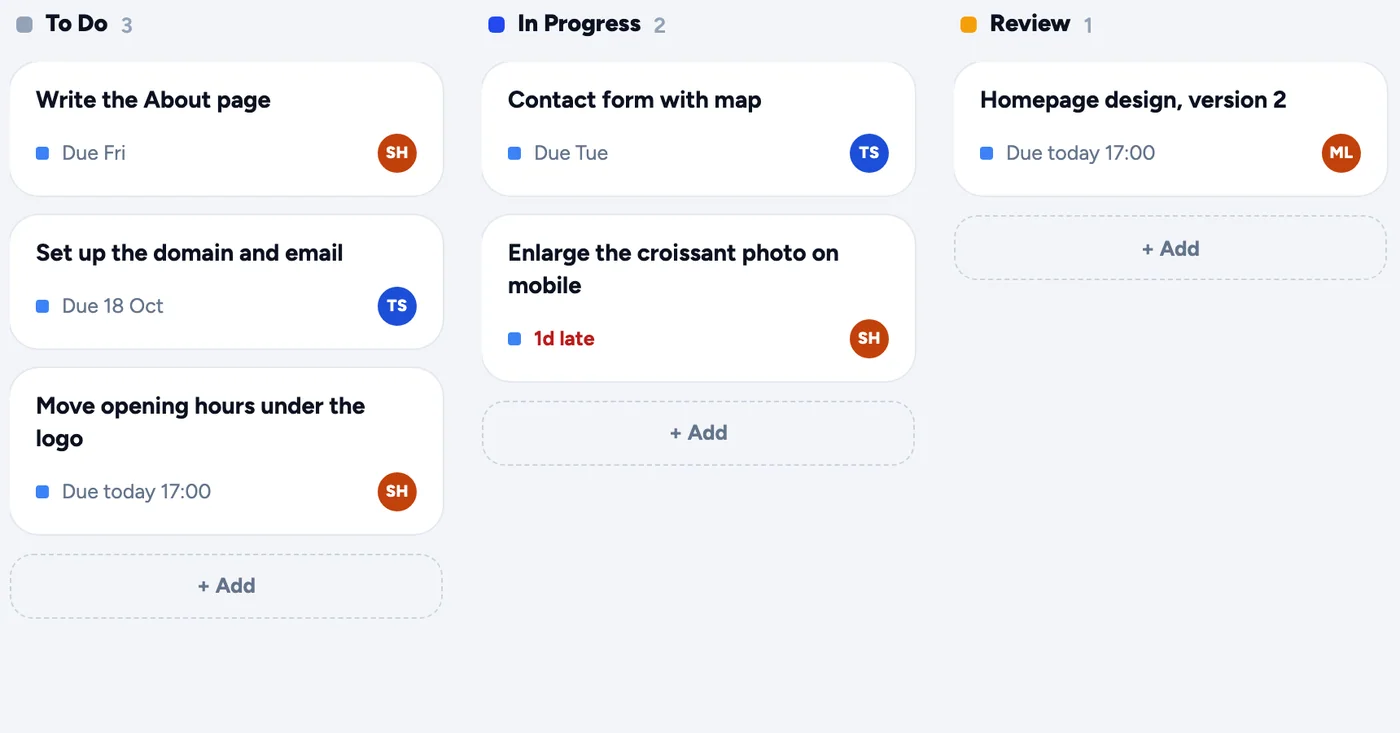
  • Boards with To Do, In Progress and Review
  • Subtasks, owners and due dates
  • Time logging and a workload view
  • Internal spaces for your own work
The Bloom Bakery website board: To Do, In Progress and Review, with owners and due dates
Five clients waiting, with how long each has waited
03 · Approvals

Sign-off in one tap, not one more email.

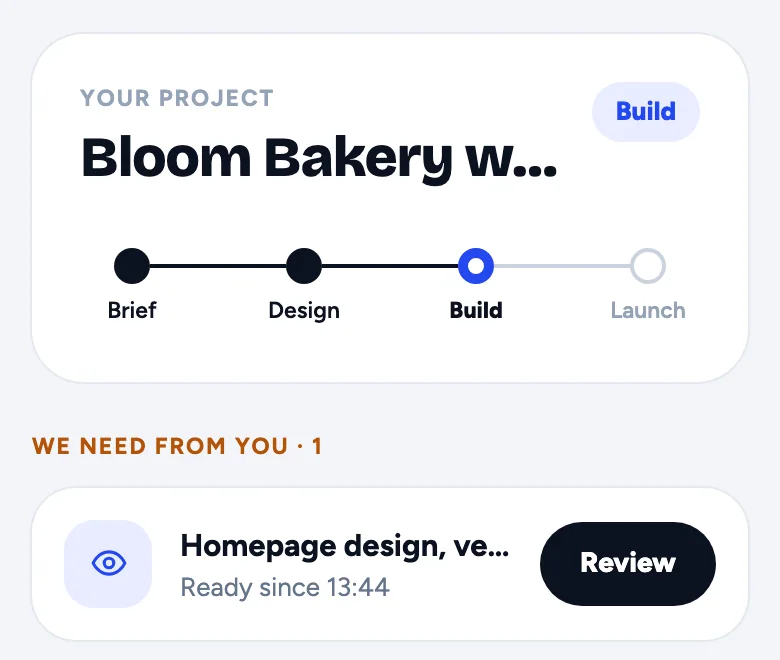
Send a design or a quote for sign-off. The client approves in one tap, and the answer lands in the project.
  • Designs, quotes and files, each with a note
  • Approve, or ask for changes
  • Your team is told straight away, either way
  • Approval links you can send to anyone
The client's home: Bloom Bakery website at the Build step, and Homepage design, version 2 waiting for review
The client approving Homepage design, version 2 on her phone

Reply reminders

When a client has waited too long, the team hears about it in Slack or Discord, not when the client chases.

SlackDiscord

AI assistant and connector

Ask the assistant inside a chat, a WhatsApp thread or an email. Or connect Claude or ChatGPT, which then work in 3 Loop as you, seeing only what you can see.

ClaudeChatGPT

Forms and links

Intake forms and approval links you can send to anyone, straight from 3 Loop.

Intake formsApproval links
Client portal

Your clients come to your address. Not ours.

Here, the made-up agency Fieldwork Studio at fieldwork.3loop.net, and its client Amara.

fieldwork.3loop.net

They sign in at your address.

Your agency's name on the page, one sign-in for clients and team. Clients use a simple password you send them.
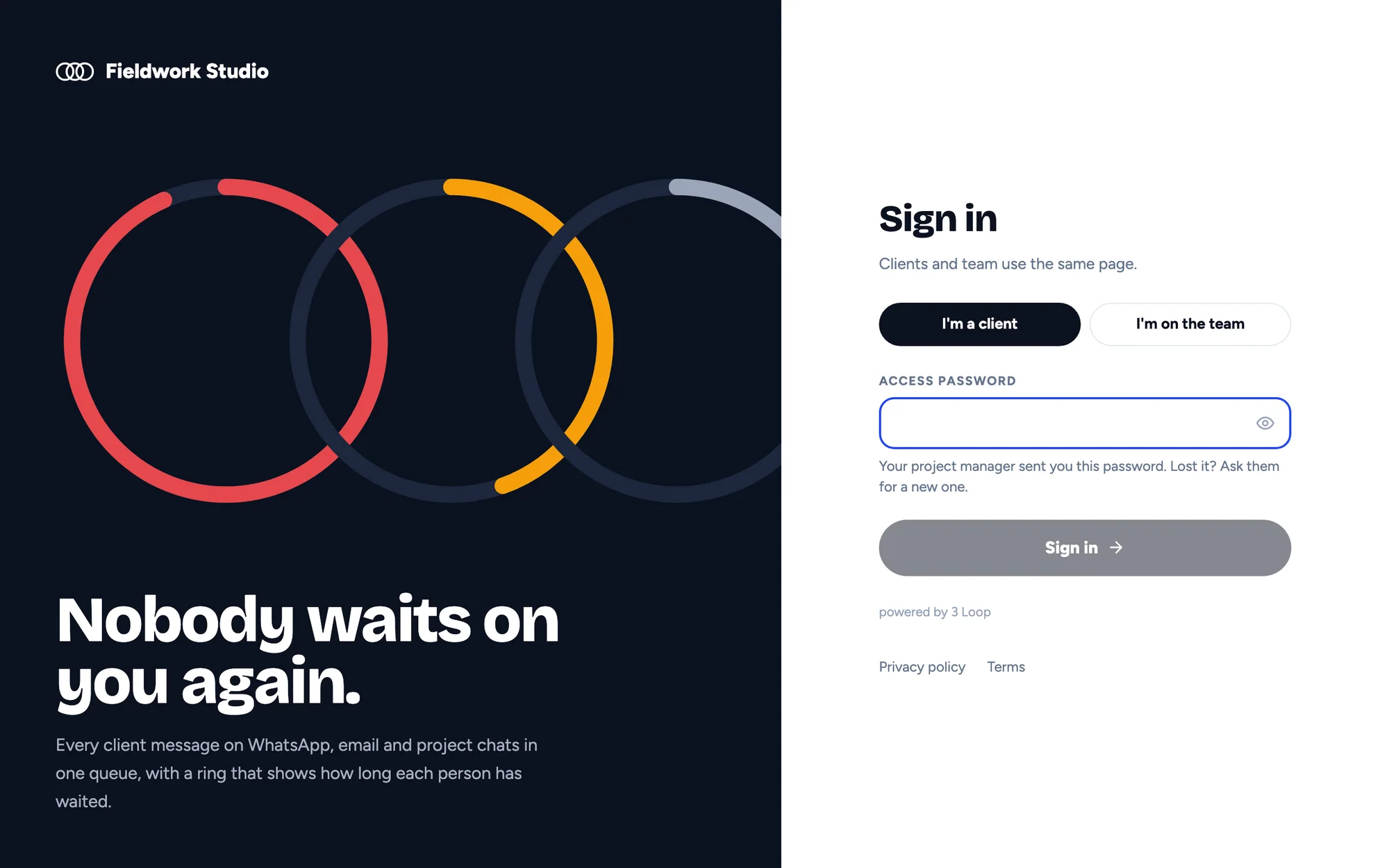
Fieldwork Studio's own sign-in page, with I'm a client and I'm on the team
Their project

They follow the project.

The steps so far and the one that's next, and anything you need from them, right at the top. Only their own projects, never another client's.
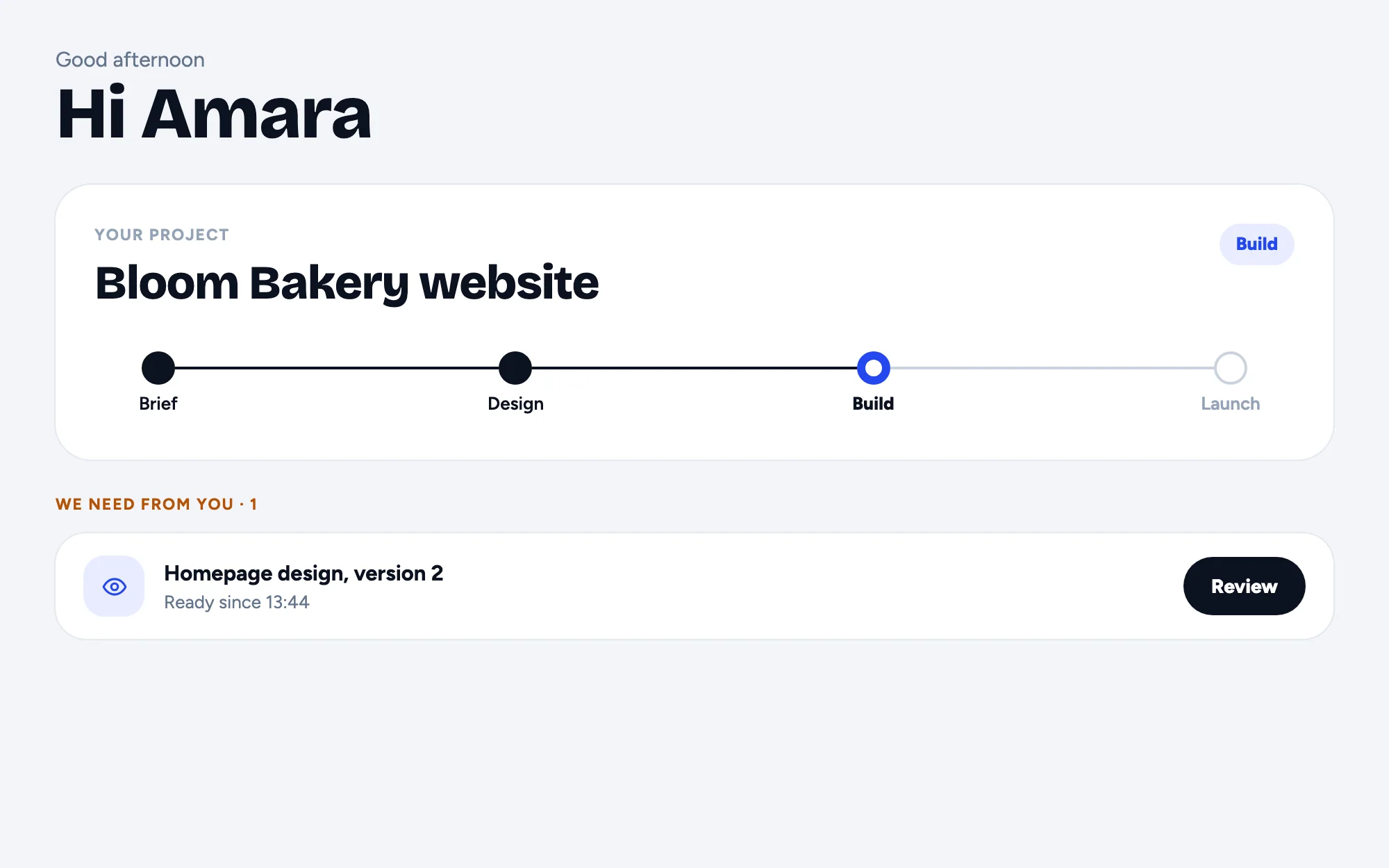
What the client sees: Bloom Bakery website at the Build step, and Homepage design, version 2 waiting for review
Approvals

They sign off in one tap.

Approve, or ask for changes, from any phone. The answer lands in the project and your team hears about it straight away.

The client on her phone: Homepage design, version 2, with Ask for changes and Approve
Fieldwork Studio's own sign-in page, with I'm a client and I'm on the team
  • Your agency's name and address: youragency.3loop.net
  • Clients sign in with a simple password and see only their projects
  • Project steps they can follow, and approvals they sign off in one tap
  • Intake forms and approval links you can send to anyone
On the go

The same conversations, on their phones.

Your team and your clients get the same conversations on their phones, with notifications.

The team's phone app: Home, with five people waiting
Your team. Who’s waiting, and who’s next.
The client's phone: an approval waiting for her
Your clients. Their project, and what you need from them.
Before and after

What changes on day one.

TopicWithout 3 LoopWith 3 Loop
Client messagesSpread over inboxes, chats and SlackOne inbox, longest wait first
Who’s waitingFound out when the client chasesA ring round everyone waiting
Approvals“Did you see my email?”Signed off in one tap
Project statusAsked for on a callSteps the client can follow
Nudging the teamSomeone remembers, eventuallyReminders in Slack or Discord
Client accessShared folders and forwarded linksYour portal, their projects only
Pricing

Three plans. Clients always free.

Plans differ by team size and channels. Every plan starts with a 14-day free trial. Prices are coming soon.

Starter

A small studio

Pricing coming soon14-day free trial

Team members
3
Email mailboxes
2
WhatsApp numbers
1
Slack channels
10
AI answers a month
300
Request early access

Pro

A growing agency

Pricing coming soon14-day free trial

Team members
10
Email mailboxes
10
WhatsApp numbers
2
Slack channels
50
AI answers a month
2,000
Request early access

Agency

Several teams

Pricing coming soon14-day free trial

Team members
30
Email mailboxes
30
WhatsApp numbers
5
Slack channels
200
AI answers a month
10,000
Request early access
  • Unlimited clients: clients are never counted
  • Your client portal at youragency.3loop.net
  • Projects, spaces, tasks, approvals and time
  • Phone apps for your team and your clients

WhatsApp numbers count once connecting your own number arrives (coming soon).

Questions

Good to know.

How does the free trial work?

Every plan starts with 14 days free, with no card needed. There is no free plan after that. While we open up, sign-up is by request: ask for early access and we'll set up your workspace.

Do I pay for my clients?

No. Plans count your team, mailboxes and WhatsApp numbers. Clients are never counted, so invite as many as you work with.

Can I connect my agency's own WhatsApp number?

Coming soon. Each agency will connect its own WhatsApp Business number from its settings. Until then, WhatsApp isn't part of a new workspace.

What do my clients see?

Your agency's name at your own address. They sign in there and see only their own projects, steps, chats and approvals, never another client's.

Which AI tools can connect?

Claude, and other assistants that support custom connectors, such as ChatGPT. The connector acts as the signed-in person, and anything it would send waits for your confirmation.

Where is our data kept?

On servers in Germany. Each agency's workspace is kept apart from every other, and mailbox and WhatsApp credentials are encrypted at rest.

Close everyloop.

We’re opening 3 Loop to agencies a few at a time. Ask for early access and we’ll set up your workspace with you.